

New Features
Agentic Agents
A new agent type — defined in.agentic.yml files — that runs a multi-step reasoning pipeline autonomously, rather than a single LLM call with tools. Two kinds are supported:
Analytics agents answer natural language data questions through an end-to-end pipeline: clarify → specify metrics and dimensions → generate SQL → execute → interpret results.
.app.yml Data App from a natural language description.
Human-in-the-Loop Suspension
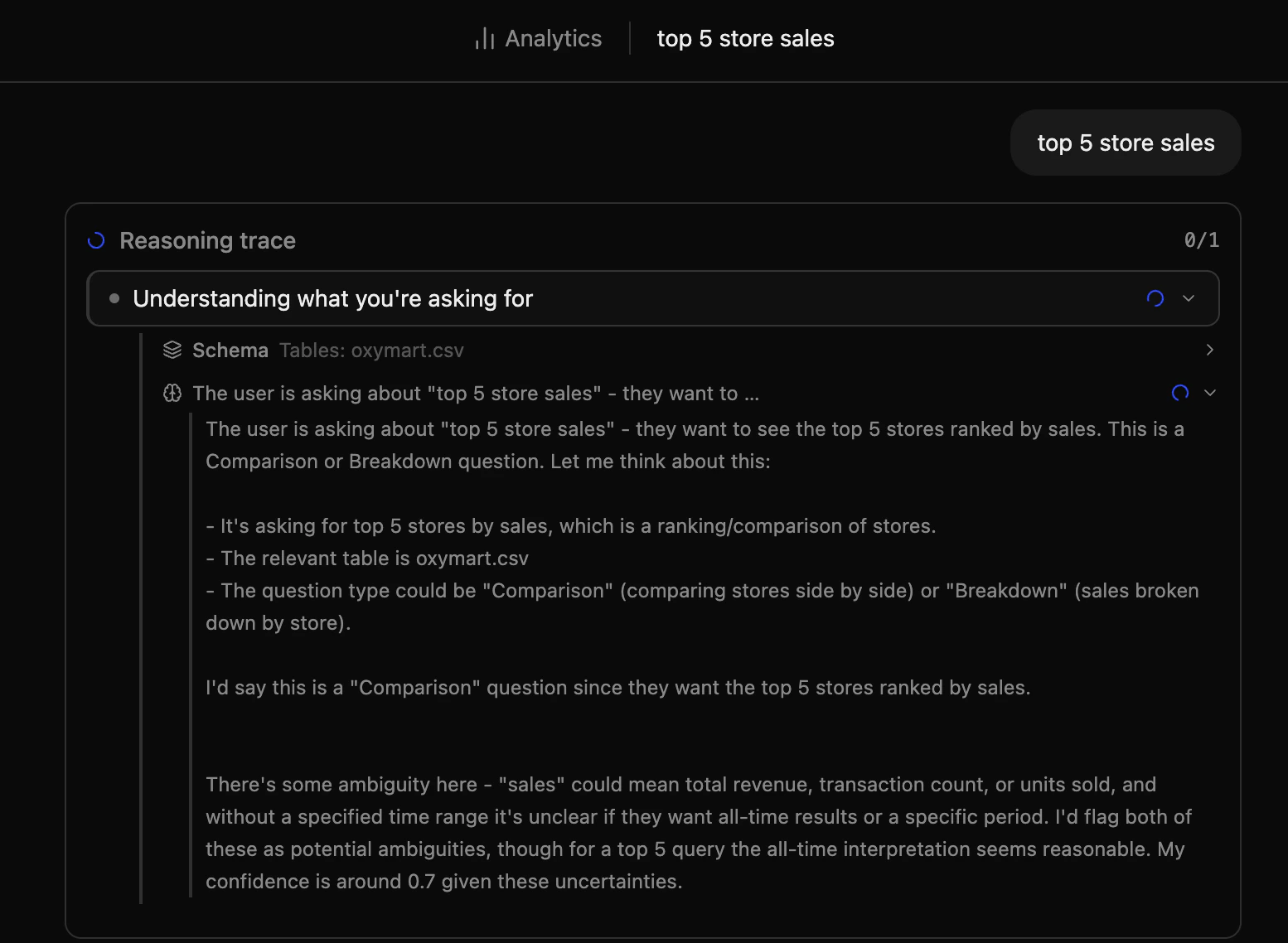
Agentic runs can pause mid-pipeline to ask the user a clarifying question:- Suspension Events — The frontend receives a
suspendedevent when the agent needs additional input before continuing - User Prompt — The UI prompts the user for a response inline within the reasoning trace
- Seamless Resume — The run resumes exactly where it left off via
POST /analytics/runs/:id/answer, preserving all pipeline state
Agentic Thread UI
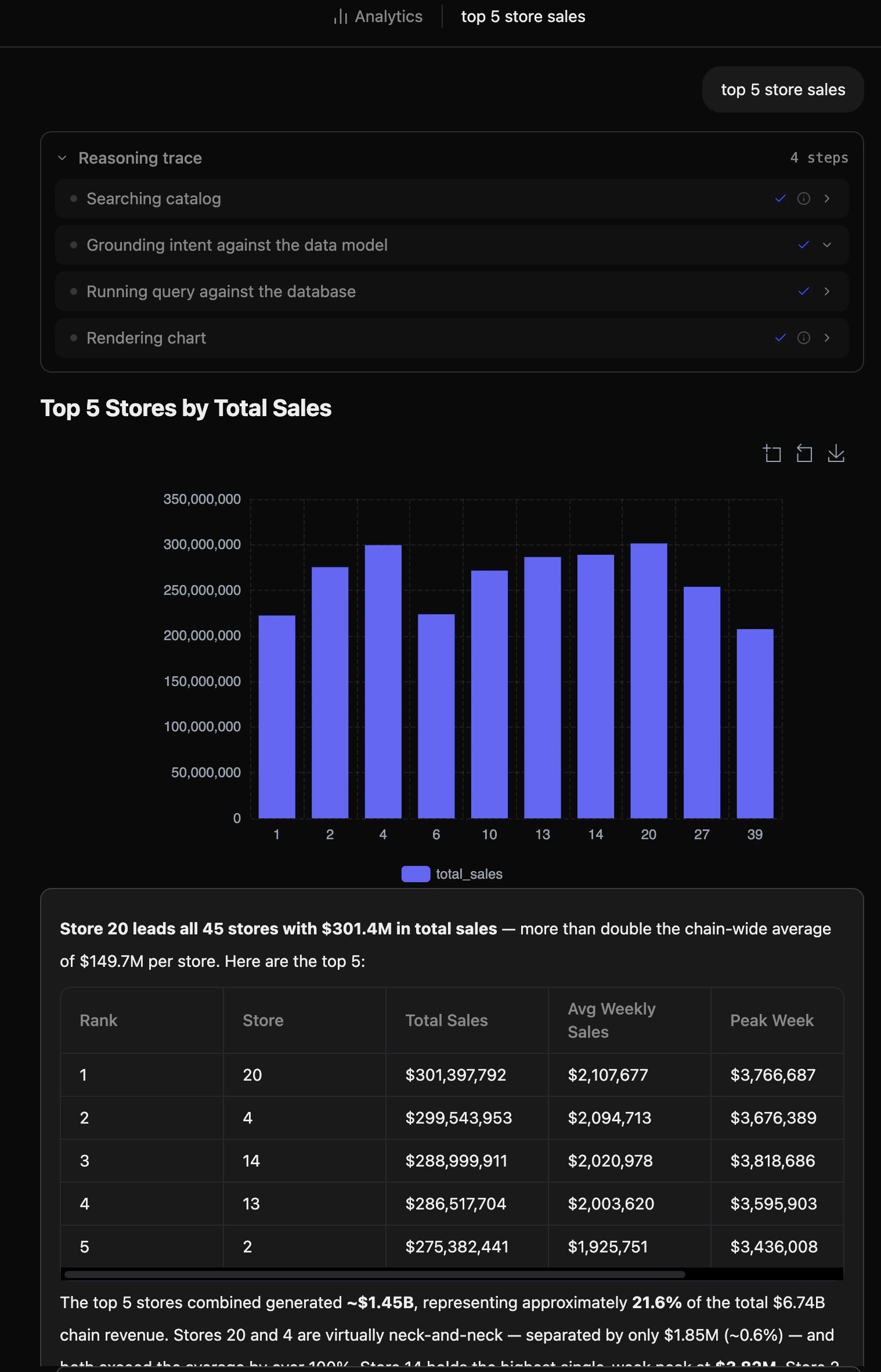
The thread detail page now renders agentic runs with a dedicated reasoning interface:- Reasoning Trace — Each pipeline stage is shown in sequence, giving full visibility into how the agent reached its answer
- Artifact Sidebar — SQL results, charts, and the final narrative answer are surfaced in a dedicated panel
- Suspension Prompt — When the agent needs human input, an inline prompt appears within the thread view
- Procedure DAG Panel — When the agent delegates to a workflow, the procedure execution graph is displayed
New API Endpoints
Analytics runs:| Method | Path | Description |
|---|---|---|
POST | /analytics/runs | Start an analytics run for a given agent and question |
GET | /analytics/runs/:id/events | SSE stream of live reasoning steps and results |
POST | /analytics/runs/:id/answer | Resume a suspended run with a human answer |
GET | /analytics/threads/:thread_id/run | Get run summary with status, answer, and UI event replay |
| Method | Path | Description |
|---|---|---|
POST | /analytics/app-runs | Start an app builder run |
GET | /analytics/app-runs/:id/events | SSE stream of build steps and generated app |
POST | /analytics/app-runs/:id/answer | Resume a suspended build with a human answer |
POST | /analytics/app-runs/:id/cancel | Cancel a running or suspended build |
Platform Improvements
Bug Fixes
- Testing UI Progress Bar — Fixed a stale state issue where the progress bar did not appear when clicking “Run All” on the Test Dashboard until the page was remounted